Interactive Hotspots with Click & Hover Triggers
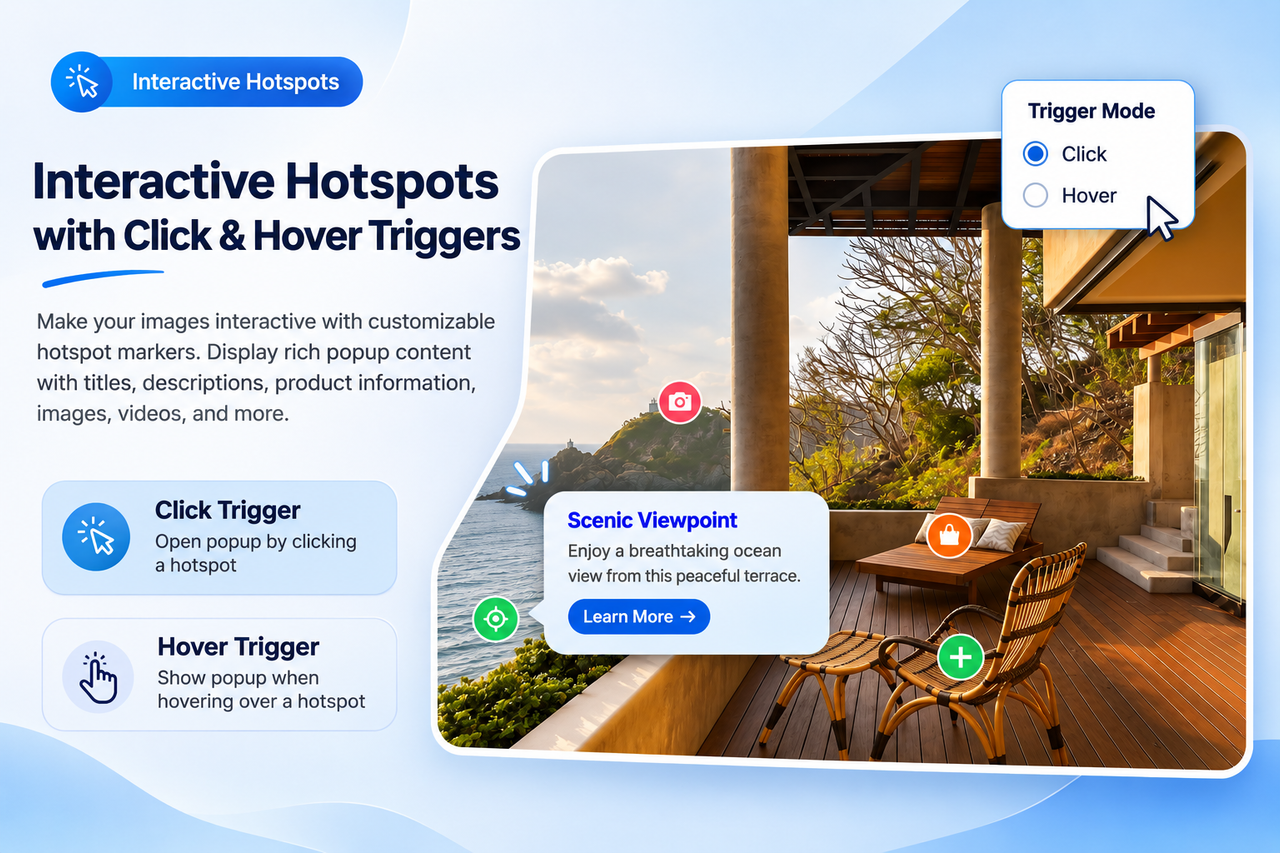
Make your images interactive with customizable hotspot markers. Visitors can click or hover over each marker to reveal popup content containing titles, descriptions, product information, and other HTML content. Choose between Click and Hover trigger modes to create the interaction experience that best suits your website.
Visual Drag & Drop Hotspot Editor
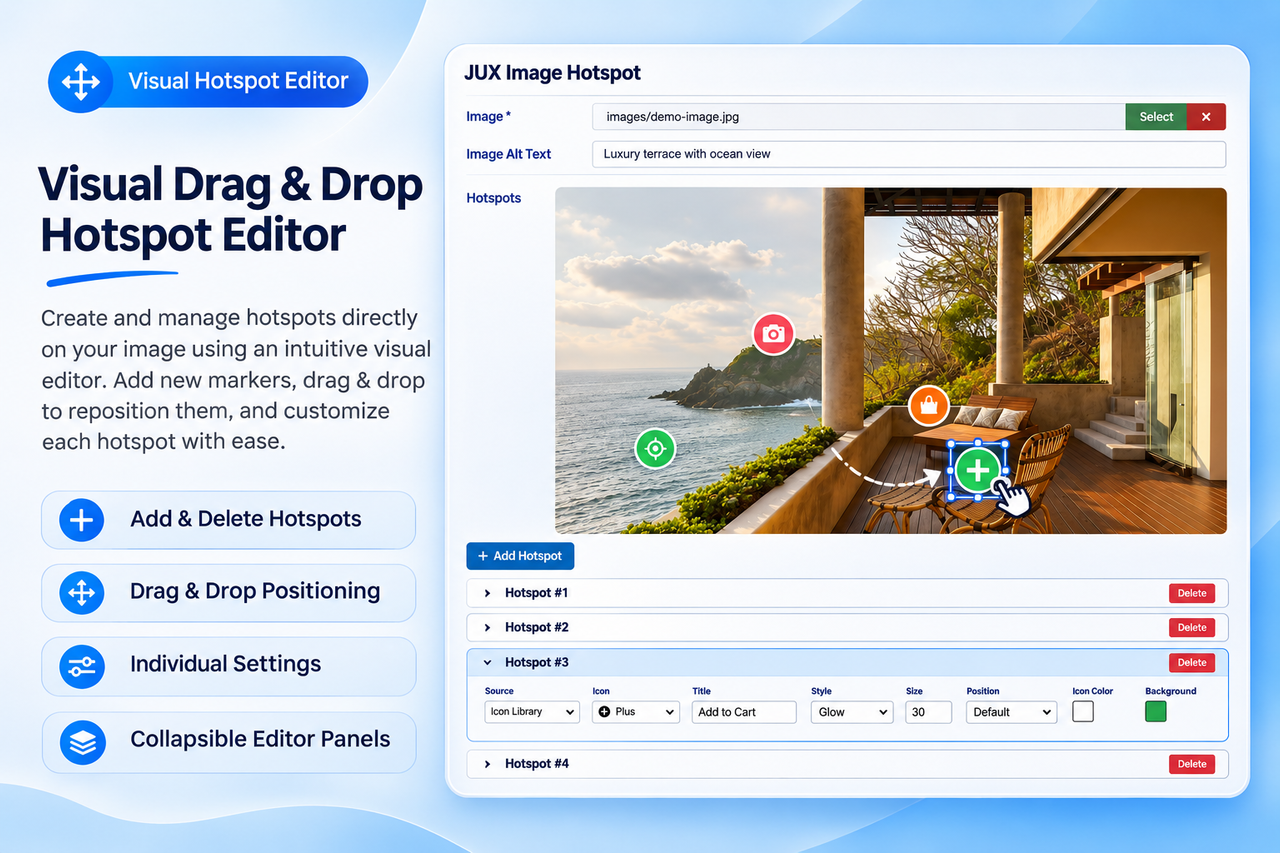
Create and manage hotspots directly on your image using an intuitive visual editor. Easily add new markers, select existing hotspots, drag them to the desired positions, and customize their settings through individual editing panels. The collapsible editor keeps your workspace clean and organized, making it simple to manage multiple hotspots on a single image.
Custom Icons & Individual Styling
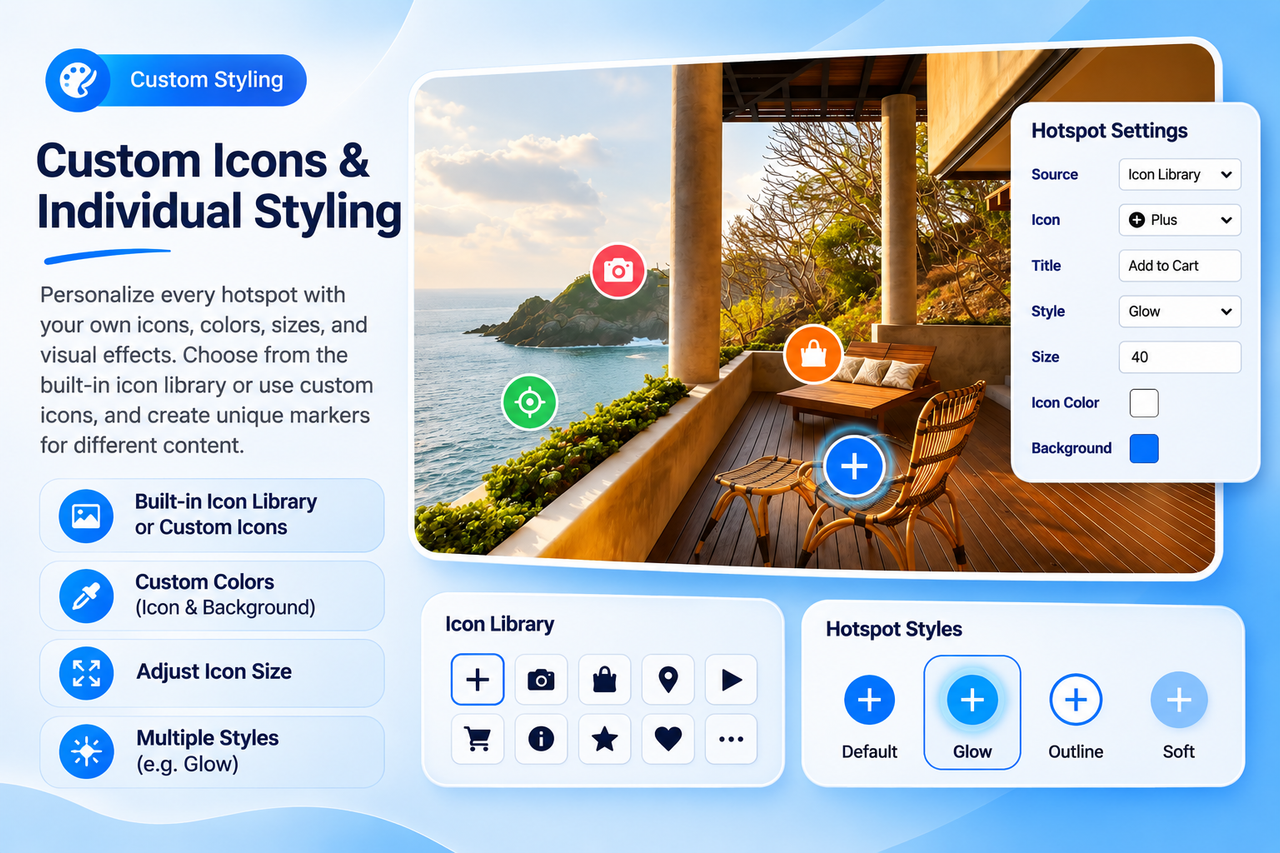
Personalize every hotspot to match your website design. Choose icons from the built-in icon library or use custom icons, then adjust icon size, icon color, background color, and visual effects. Each hotspot can have its own styling, allowing you to create unique markers for different products, features, or locations.
Rich & Customizable Tooltip Content
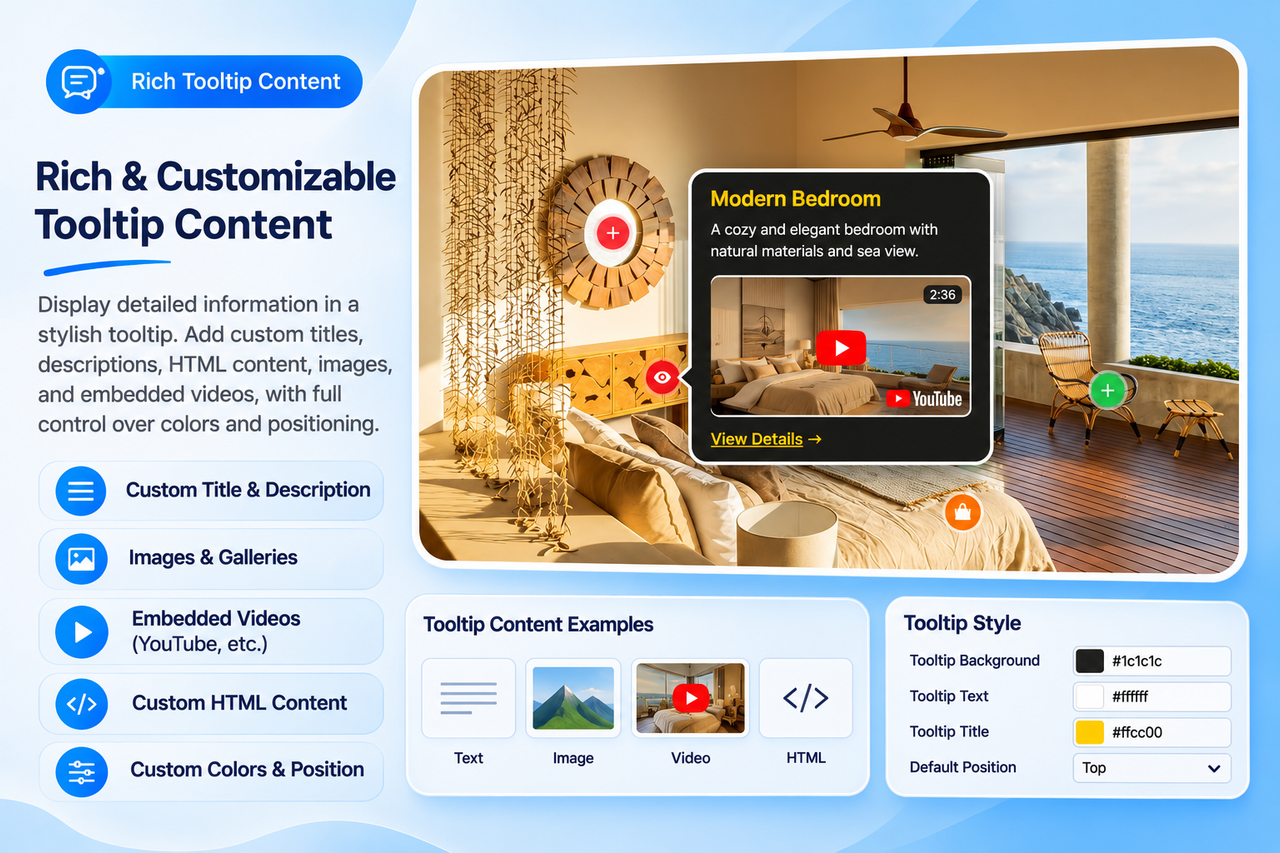
Display more than just simple text with flexible tooltip content. Add custom titles, descriptions, HTML elements, images, and embedded videos to provide visitors with detailed information. Customize the tooltip background, title color, text color, and default positioning to create attractive popup presentations that match your website.
Responsive Positioning & Flexible Display
Position hotspots anywhere on your image with percentage-based coordinates to maintain accurate placement across different screen sizes. Configure a global default tooltip position or customize the position individually for each hotspot. The module is fully responsive, ensuring a consistent interactive experience across desktop, tablet, and mobile devices.
Why Choose JUX Image Hotspot?
-
Transform static images into interactive visual presentations.
-
Supports multiple hotspots on a single image.
-
Click and Hover trigger modes for flexible interactions.
-
Intuitive visual editor with drag-and-drop positioning.
-
Easy hotspot management with collapsible editing panels.
-
Built-in icon library and custom icon support.
-
Individual hotspot styling with customizable colors, sizes, and effects.
-
Rich tooltip content supporting text, HTML, images, and embedded videos.
-
Customizable tooltip background, title, and text colors.
-
Global default tooltip positioning with individual hotspot overrides.
-
Percentage-based positioning for accurate responsive layouts.
-
Supports multiple module instances on the same page.
-
Lightweight and optimized for performance.
-
Easy to configure without coding.
-
Ideal for product showcases, real estate, interactive maps, architecture, and visual presentations.